Category Archives: Security

Google Mic Drop

Google’s prank on Gmail users that wasn’t a prank, but juvenile nuisance at best

Google decided to prank Gmail users this year by offering a button that would attach a “mic drop” gif to the email and move the conversation to the archives. Going by the general understanding that the prank is on me, and looking forward to seeing what Google have come up with, I clicked the button.

Except, there was no prank. The button did exactly what it said, and I watched horrified, as the mic down gif was sent along with a simple note thanking a condolence message I had received on the demise of my father two days ago.

To put it extremely mildly, this wasn’t funny in the least.

I fail to understand Google’s idea of a prank with this, that does absolutely nothing unexpected to the person supposedly being pranked, while doing some fairly irreversible actions to people they correspond with instead.

We ignore most emails we get, replying largely to those that hold some value for us. How many of us engage in conversation where we’d want to have the last word and shut people out, that a button on the editor had any reasonable expectation of not being grossly inappropriate? Also, WHERE IS THE PRANK? The button did exactly what it said. Sent a rude image and removed the conversation from the inbox altogether!

I understand that mine is a rather extreme example and most people haven’t lost a near and dear one that they aren’t replying to, but seriously, outside my spam folder, I was not able to find a single email in the last full week that this “prank” would be appropriate for. Even the emails other than condolences had value. Friends connecting, work, clients, readers, relatives, conversation regarding my son’s recent surgery…. That prank, even if we were to consider it one, was absolutely out of context for anyone not in the habit of replying to spam.

This is pretty awful,Google, not appreciated at all. I also consider it a pretty serious issue of sending emails without consent. A consent for a prank is most certainly not consent for a single curious click leading to an action of this gravity.

The only consolation is that I was able to retrieve the conversation from the archives and return it to my inbox and that Google being so famous, I’m sure it has pissed off a lot of people, and my apparent rudeness would be correctly understood as curiosity for something on my screen that turned out to be a malicious prank that sent an email of this nature without any confirmation whatsoever and not a crass message I deliberately sent them.

Epic fail.


your ip 127.0.0.1 has been flagged for security reasons – Jetpack

So I was troubleshooting the configuration on my server and removed all non-essential code. This meant that the proxy was not forwarding the IP address of visitors to the backend.

Imagine my surprise to try to login to post to the blog when I found access to admin blocked with “your ip 127.0.0.1 has been flagged for security reasons find out more“. It had popped up in the login popup wordpress shows when your login has expired and clicking “find out more” does nothing beyond showing a rotating gif indicating loading.

Login blocked - Jetpack trolls bloggers

Luckily, I was logged into another blog on the same server which had Jetpack installed as well. Clicking another link on it gave me the same warning on the page instead of a popup and i was able to follow through to the Jetpack site for the explanation.

Login Blocked by Jetpack - The notice

Apparently to fix this, you have to add

define('JETPACK_IP_ADDRESS_OK', 'X.X.X.X');

to wp-config.php in the root of your wordpress blog. In my case, this was LOCALHOST!

Here’s my irritation with Jetpack.

  1. I have access to the server. What if any other user on the blog had tried to make a post?
  2. I don’t recall activating security. I have another plugin I use for security. I was not even aware that Jetpack offers security. How appropriate is it to activate something that can block access for potential users onto someone’s blog without consent?
  3. What sort of non-consensual inflicted code blocks access to localhost? Surely the forward facing IP and localhost at least ought to be whitelisted by default? Not according to Jetpack, it seems.

This is yet another straw piled onto my back about the ever bloating Jetpack plugin. One of these days, I’m going to take some time to configure alternatives and ditch them.

Disable SSLv3 on Nginx to prevent #POODLE vulnerability

In the wake of POODLE vulnerability discovered in SSLv3, surprising number of people are not sure how to disable SSLv3. So here is how to do it.

In your Nginx SSL configuration, find the line that shows the protocols. It will be something like this:

ssl_protocols SSLv3 TLSv1 TLSv1.1 TLSv1.2;

Remove the SSLv3 from it and make it

ssl_protocols TLSv1 TLSv1.1 TLSv1.2;

That is all.

This is not relevant if you aren’t using SSL, of course.

Google’s guessing games #privacy #humor

Imagine my surprise today when a google search result showed my location below the search results (nil).

Virar West, Virar, Maharashtra – From your Internet address – Use precise location
 – Learn more

I live in Virar East, so the guess was off by a few kilometers. Curious to see how accurate it gets, I allowed it to use “precise location”.

Result?

Friends Colony, Hallow Pul, Kurla West, Mumbai, Maharashtra – Reported by this computer – Update location
 – Learn more

That would be a few dozen kilometers away with an entire Lok Sabha Constituency lying in between mine and the stated target area’s :p

Moral of the story? If you live in an area barely covered by Google Maps, you’d probably do better activating snooping stuff to obfuscate your location :p

Note: this was funny and an obvious backfiring of “precision” if it added an error that put the location in another district altogether. Your mileage may vary. This is not a serious privacy tip :p

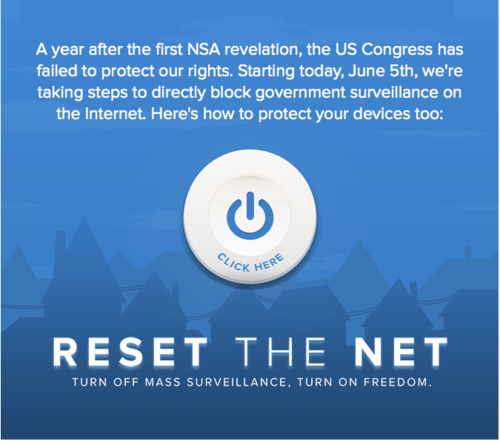
Reset the net – Don’t ask for privacy, Take it back

A long overdue backlash against state spying (and NSA in particular) has some of the biggest websites on the internet joining forces with internet rights activists to unleash an unambiguous message. Don’t ask for privacy, take it back.

reset-the-net

Internet website and application owners are encouraged to adopt strong encryption based security measures to prevent spying and spread awareness to more people. Here is are resources for various security measures against spying. It doesn’t get easier than this. Do it. The 5th of June will see splash screens raising awareness on sites participating in the campaign.

While the protest is against NSA and US policies, the internet is a world without boundaries, and I do believe that Indians cannot afford to remain disinterested. As power concentrates in fewer and fewer hands, greater resources are spent protecting it from all threats, real and imagined with scant regard for individual and privacy rights.

So I have decided to support the campaign even if it doesn’t protest Indian government (yet). As some of you may have noticed, all my blogs are now ssl enabled. This will continue. I will be using more security features, and perhaps share how you can get them too (since my ideas are n00b and wallet friendly, I imagine they may help some).

Edward Snowden, whose leaks on government spying became a massive last straw for many, has endorsed the campaign in a must read letter.

“One year ago, we learned that the internet is under surveillance, and our activities are being monitored to create permanent records of our private lives — no matter how innocent or ordinary those lives might be.

Today, we can begin the work of effectively shutting down the collection of our online communications, even if the US Congress fails to do the same. That’s why I’m asking you to join me on June 5th for Reset the Net, when people and companies all over the world will come together to implement the technological solutions that can put an end to the mass surveillance programs of any government. This is the beginning of a moment where we the people begin to protect our universal human rights with the laws of nature rather than the laws of nations.

We have the technology, and adopting encryption is the first effective step that everyone can take to end mass surveillance. That’s why I am excited for Reset the Net — it will mark the moment when we turn political expression into practical action, and protect ourselves on a large scale.

Join us on June 5th, and don’t ask for your privacy. Take it back.”

-Edward Snowden

In other news, Google has released the code for its upcoming “End to End” Chrome plugin offering end to end encryption to prevent email spying. It is also intended to be an easy way to get secure communication for people at risk and thus will carry a burden of having to aim for usability as well as flawless security. The Chrome plugin is currently in the alpha state and Google has released it with an Apache 2.0 licence inviting hackers to find security flaws under its bug bounty programme.

Together with statistics released about the use of encryption in sent and received email via Gmail, Google’s message for today is powerful and straight.

Use encryption to communicate by email.

Other organizations supporting Reset the Net include Reddit, WordPress

WordPress All In One SEO Pack plugin users should upgrade NOW #vulnerability

The Scuri blog has posted that the All in One SEO plugin had two vulnerabilities they had pointed out earlier, and the just released update fixes both. AISEO users are advised to upgrade as soon as possible.

While auditing their code, we found two security flaws that allows an attacker to conduct privilege escalation and cross site scripting (XSS) attacks.

In the first case, a logged-in user, without possessing any kind of administrative privileges (like an author of subscriber), could add or modify certain parameters used by the plugin. It includes the post’s SEO title, description and keyword meta tags. All of which could decrease one’s website’s Search Engine Results Page (SERP) ranking if used maliciously.

While it does not necessarily look that bad at first (yes, SERP rank loss is no good, but no one’s hurt at this point, right?), we also discovered this bug can be used with another vulnerability to execute malicious Javascript code on an administrator’s control panel. Now, this means that an attacker could potentially inject any javascript code and do things like changing the admin’s account password to leaving some backdoor in your website’s files in order to conduct even more “evil” activities later.

Read more: Vulnerability found in the All In One SEO Pack WordPress plugin

Also, commenter Orun Bhuiyan brings up an important security point when he points out that the AISEO plugin echoes a generator tag with the version number, thus exposing both plugin and version number and making it easy for malicious entities to target vulnerabilities when such situations arise. This has been pointed out on several forums including several plugins containing settings to mute generator tags, but it continues to be a problematic default that is a major security risk leaving wide swathes of content vulnerable before updates can be applied.

Installing UFW – Uncomplicated Firewall on Ubuntu 12.04

If you are one of those nerdy types and use iptables, ignore this. If you are like the rest of us Ubuntu users (nerdy in denial), UFW (Uncomplicated Firewall) provides a handy tool to configure your firewall.

Here’s how to install. As root, type:

apt-get install ufw

If this can’t find the package, run

apt-get update

before running the command again. You’ll get it.

Next, add your exceptions. For example, on my server, I allow ssh (Secure Shell) and http (Hypertext Transfer Protocol).

# ufw allow ssh
# ufw allow http

Then start the firewall

# ufw enable

It will ask

Command may disrupt existing ssh connections. Proceed with operation (y|n)?

Reply “y”. Simply hitting enter will abort.

This should return:

Firewall is active and enabled on system startup

If you get an error like

ERROR: problem running ufw-init

Edit the file /etc/default/ufw and change IPv6=yes to IPv6=no

Enhanced by Zemanta

OpenVZ and UFW

So I found another problem area with the OpenVZ host and the Ubuntu Server. A good firewall is important for the safety of a server, but I, at least feel overwhelmed at the complexity and risk of messing things up very badly to directly touch iptables, and I have only done on rare occasions, and always worried.

UFW is a great and simple firewall application. Unfortunately if your server is on OpenVZ, you will not be able to use it out of the box because of the limited support for iptables. Here is a superb workaround in order to be able to use UFW on a Ubuntu host on OpenVZ. The instructions work well.

Will take you a while to do it all, but works like a charm, and the code is copy paste.

If, at the end of it, your installation of dependencies fails, and any further attempts to access repositories don’t work, DON’T PANIC. Simply disable and enable UFW and all should be well.

Configuring Privoxy to use TOR

In these days of censorship concerns, increasing numbers of people are using TOR as a proxy and thus, increasing numbers of people are configuring their browsers wrong and going to the TOR check page only to realize that for all their proxy configurations, they either cannot see the page at all, or they see the result that they are not using TOR.

You set your HTTP Proxy to 8118, Socks5 Proxy to 9050 and imagined that it would work, but it doesn’t. Here’s what could be going wrong.

The proxy server is refusing connections

or

Firefox is configured to use a proxy server that is refusing connections.

This means that while you installed TOR, you did not install Privoxy. The port 8118 points to the Privoxy proxy. If you haven’t installed it, there is nothing to receive the connections. On Ubuntu, go

sudo apt-get install privoxy

On Windows… go to http://privoxy.org to download a suitable release. Install.

Which brings you to the next problem.

Sorry. You are not using TOR

You have checked everything. TOR is running. The onion is green. You have installed privoxy. It is running. Your proxy setting is 8118. You are able to access sites. BUT YOU ARE NOT USING TOR.

This is because privoxy is a proxy that:

Privoxy is a non-caching web proxy with advanced filtering capabilities for enhancing privacy, modifying web page data and HTTP headers, controlling access, and removing ads and other obnoxious Internet junk.

It does NOT use TOR unless you tell it to. You can do this by manually editing the configuration file, which on Ubuntu is located at /etc/privoxy/config (will update with the windows location soon, but should be easily found in the program files for privoxy.

Open it as root. Do a ‘find text’ for “localhost:9050”. The line will say:

# forward-socks5 / localhost:9050 .

Uncomment it by deleting the “#” in the beginning. Save and close file.

Now point your browser to http://check.torproject.org

You should see a bold green heading:

Congratulations. Your browser is configured to use TOR.

Done.

Note: If you do not see this text, please troubleshoot further. Without this text, your browsing is NOT anonymous.

Posting using Twitter api without permission

There is this service called Tweet cloud, which analyses your tweets for keywords and creates a cloud with the most highly used ones. Pretty. interesting too. However, I find that when it posts a link to your cloud, it also posts an image of the cloud using twitpic. How does it login to twitpic to post on my behalf?

Here’s the process.

When you login to the website, you reach this basic page, where it tells you about the service. Clicking Generate a cloud prompts you to grant access with your Twitter account.

Nice cloud. Loved it. You have the option to tweet your result or not. I chose to tweet. This is the tweet that got sent.

As you see from the short url, the pic is hosted at twitpic.com. I don’t remember logging in to twicpic. I didn’t authorize a login for twitpic. But the image got posted from my account. How did this happen?

I checked, but I was not logged in to Twitpic. Thus:

So I suppose the question now is if Twitter authorizations can be used by third parties to post in my name. Sure, this time, nothing offensive as such was done, but the point that it is possible to do it – is it a security issue? You decide.